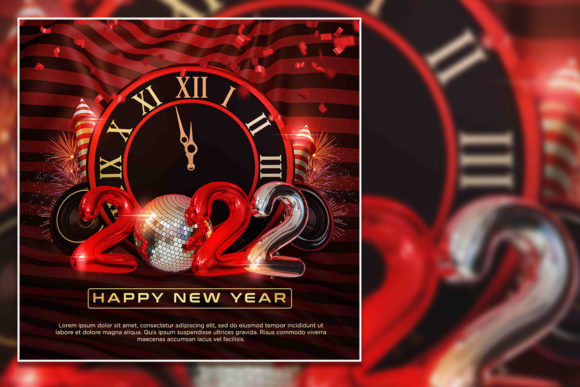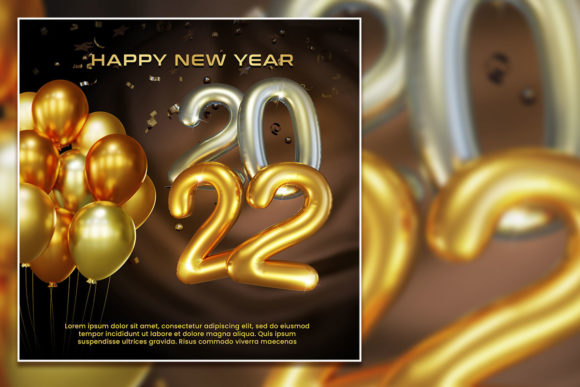
Modern Happy New Year Social Media Post: A Practical Guide to High-Impact Visual Campaigns
Creating a cohesive New Year campaign across social platforms often lands somewhere between a creative ambition and a logistical puzzle. You need visuals that feel fresh, reflect your brand, and work across Instagram, Facebook, LinkedIn, and even print. The Modern Happy New Year Social Media Post template is designed to solve exactly that—it gives you a ready-made production file that you can adapt without starting from zero. This article walks through what this template is, how it fits into real workflows, and how to get the most out of it whether you are a solo entrepreneur, a marketing lead, or a freelance designer.
What the Modern Happy New Year Social Media Post Actually Delivers
At its core, this is a fully layered PSD file built at 2000 x 2000 pixels with a 300 DPI RGB color profile. That resolution matters because it gives you flexibility: you can use the same file for high-resolution social posts, cropped stories, banner ads, or even small print formats like flyers or cards. The file contains 100 layers, each one fully editable. Text, shapes, effects, background elements—everything is separated so you can turn visibility on and off, rearrange components, or swap colors without destroying the original structure.
The template comes with 100 free fonts referenced and ready to use. You will need to download them (links or font names are typically provided in the documentation), but once installed, the text layers render exactly as designed. Importantly, the images and photos are not included—the preview shows placeholder imagery that you replace with your own assets. This is a deliberate choice: it keeps the file size manageable and gives you full control over the final look.
Where This Template Fits in a Broader Workflow
For most professionals, a New Year campaign is not a single post—it is a series of assets that need to feel cohesive. The Modern Happy New Year Social Media Post template fits best during the production and adaptation phase of your content pipeline. You have already set your campaign goals, chosen your messaging, and gathered your brand assets. Now you need to turn that plan into finished graphics quickly and consistently.
If you work with a team, this file becomes a shared source of truth. One designer can build the master PSD, then export variations for different platforms. If you are a solo creator, the layered structure saves you from rebuilding the same composition for each post. You can create a dozen variants in one sitting just by toggling layers and swapping text.
The template also works well as a starting point before a larger project. For example, if you are planning a full Q1 content calendar, you can use this design to establish the visual tone for January, then extend the same color palette and typography into other templates. Alternatively, you can use it after a photoshoot—drop in your new images, adjust the layer masks, and publish within minutes.
How It Interacts with Other Tools and Assets
The PSD format means this template works natively in Adobe Photoshop (CS6 or later recommended, ideally the Creative Cloud version). If you use Affinity Photo or Pixelmator Pro, you can open the file as well, though layer compatibility may vary slightly. For teams using Figma or Canva, you cannot directly edit a PSD in those tools, but you can export flattened PNGs or JPGs from Photoshop and then import those into your collaboration platform.
Your existing brand assets—logos, color swatches, custom fonts—integrate smoothly. Because the file uses an RGB color profile, colors stay consistent across digital screens. If you need to output for print (flyers, posters, in-store signage), you can convert to CMYK later, but keep in mind that some vibrant RGB colors may shift. Plan your palette accordingly: stick to brand-safe hex values that translate well both on screen and in print.
The 100 free fonts are a practical resource. They are typically drawn from Google Fonts, Font Squirrel, or other open-source foundries. That means no licensing headaches and easy sharing with your team. Just note that if you send the PSD to a collaborator, they will need to install the same fonts for the text to render correctly. A best practice is to include a simple text file listing the font names and download links inside the project folder.
Preparation Before You Open the File
- Curate your images first. Because the template does not include photos, you need to select your own. Aim for high-resolution images that match the 2000 x 2000 square crop. If your photos are landscape or portrait, plan to frame them within the composition using layer masks or clipping groups. Avoid heavily compressed JPEGs; use PNGs or high-quality JPEGs at 300 DPI for best results.
- Install all fonts. Download the referenced fonts before opening the PSD. If you open the file and a font is missing, Photoshop will substitute a default, and you will lose the intended typographic hierarchy. Batch-install all fonts at once to save time.
- Set up your color palette. Even though the template comes with a preset look, you can redefine colors globally. Use adjustment layers or simply change the foreground color on shape layers. If you have brand hex codes, convert them to RGB sliders within Photoshop for accuracy.
During the Editing Process
- Work with layer groups. The 100 layers are organized into groups (background, typography, decorative elements, overlays, etc.). Keep this structure intact. When you need to hide or show elements, collapse groups and toggle visibility at the group level rather than hunting for individual layers.
- Use smart objects for images. The placeholder images are likely already smart objects. If they are not, convert your inserted images to smart objects before applying transformations. This preserves resolution and lets you resize non-destructively.
- Create variants with layer comps. Photoshop’s Layer Comps feature is underused but incredibly powerful. After you set up a few different versions (different background, different text, different photo), save each combination as a layer comp. Then you can export all comps in one batch, saving hours of repetitive work.
After Editing: Export and Distribution
- Export for each platform. While 2000 x 2000 pixels works perfectly for Instagram square posts, you may need 1080 x 1350 for Instagram portrait, 1200 x 630 for Facebook link shares, or 1920 x 1080 for YouTube thumbnails. Resize from the master PSD—do not create new files from scratch. Use File > Export > Export As and choose PNG for highest quality or JPEG for smaller file sizes.
- Maintain print readiness. If you plan to print any of these graphics, duplicate the PSD and convert the copy to CMYK. Then adjust curves and saturation because RGB-to-CMYK conversion often dulls bright colors. Print a test sample before full production.
- Archive the master file. Once you have exported all needed versions, save a clean copy of the PSD with all layers intact and clearly named. This becomes your archive for next year—you can simply update the year number, swap the photos, and refresh the text.
Consistency and Quality Control Across Campaigns
One of the strongest arguments for using a layered template like Modern Happy New Year Social Media Post is consistency. When every post in your campaign comes from the same PSD, the typography, spacing, color balance, and visual weight remain uniform. Your audience sees a coherent brand presence rather than a patchwork of different designs.
For quality control, use a simple checklist before publishing:
- Check that all text layers use the correct fonts and are free of typos.
- Verify image resolution—zoomed-in photos should not appear pixelated.
- Confirm color consistency across all exported versions. Open them side by side in a viewer and look for shifts in hue or brightness.
- Test readability on mobile. The 2000 x 2000 square looks great on a desktop, but on a phone screen, thin fonts or small decorative elements can become illegible. Zoom out to about 25% view in Photoshop to simulate a mobile view.
Long-Term Use and Adaptability
A well-structured PSD template is not a one-time asset. The Modern Happy New Year Social Media Post file can be repurposed beyond December. Change the color palette from holiday reds and golds to your brand colors, swap the festive icons for product shots or service icons, and you have a base layout for quarterly promotions, event announcements, or product launches. The 100 layers give you room to hide seasonal elements and reveal more evergreen components.
If you manage content for multiple clients, you can save the template as a master file and duplicate it for each brand. Keep a separate folder per client with their specific fonts, logos, and image libraries linked. This approach reduces setup time for each new campaign to maybe ten minutes instead of a full design session.
For educators and trainers, this template also works as a teaching tool. Because the layers are clearly labeled and organized, you can use the PSD to demonstrate layer management, masking, typography, and export workflows in a classroom setting. Students see a professional-grade file structure and learn by editing it themselves.
Useful Observations for Different User Profiles
Freelancers and solo entrepreneurs benefit most from the time savings. You skip the layout stage entirely and focus on customization and messaging. The 300 DPI resolution also means you can repurpose the same file for printed materials like postcards or small banners without recreating the design.
Marketing teams gain a consistent template that multiple people can edit. With layer comps and smart objects, a junior designer can swap images while a senior designer handles typography and color grading. The file becomes a shared production tool, not a static asset.
Small business owners who do not have in-house design support can hand the PSD to a freelance designer with clear instructions: use my brand colors, my logo, and these three photos. Because the template is already structured, the designer spends less time on layout and more time on polish, which often means lower cost and faster turnaround.
Final Practical Notes
Remember that the template does not include images. This is not a limitation—it is a feature. You control every visual element, which means the final output is uniquely yours. Collect your images in advance, keep them in a dedicated folder, and link them into the PSD using smart objects. If you use stock photography, ensure the license covers social media and print use if you plan to print.
Also, consider the typography. The 100 free fonts included are deliberately chosen for modern aesthetics, but you are not locked in. If your brand uses specific typefaces, substitute them. Just check that the new fonts fit within the existing layer sizes—longer words may overflow text boxes, and shorter words may leave awkward gaps. Adjust tracking and leading as needed.
Finally, save your work incrementally. Layered PSD files with 100 layers can become large (often 500 MB or more with embedded images). Use Photoshop’s Save As with maximum compatibility enabled, and consider compressing layers where possible without losing editability. A well-organized PSD will serve you not just for one campaign, but as a reusable framework for many.
The Modern Happy New Year Social Media Post template is a practical, production-ready tool that fits naturally into a content creation workflow. Whether you are preparing for a New Year campaign or building a reusable asset library, the 100 layered PSD gives you control, consistency, and speed. Start with your images, use the structure, and adapt the design to your brand—you will have professional results without starting from a blank canvas.