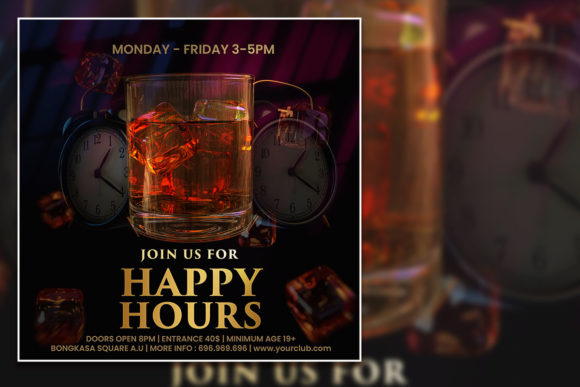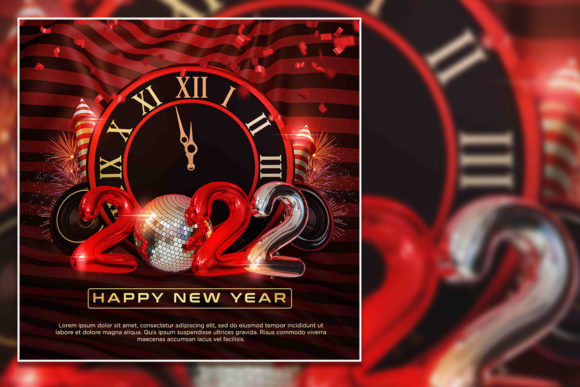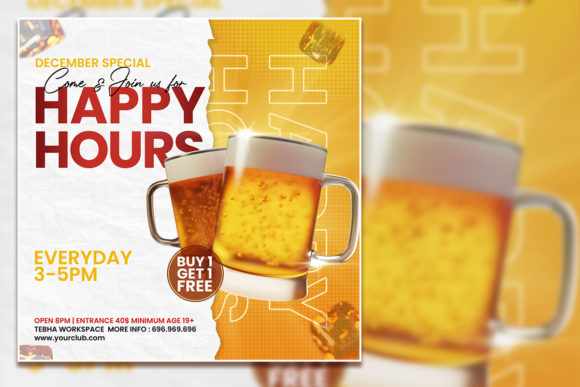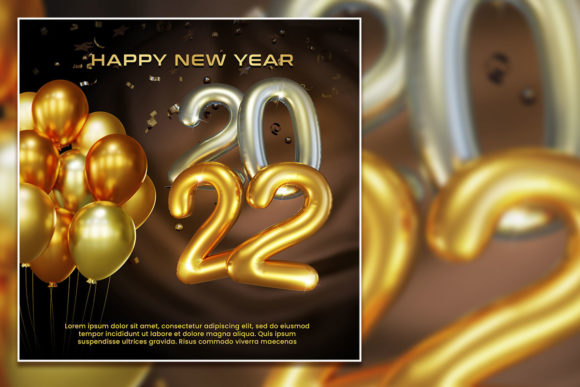
Dark Style Happy Hours Social Media Post Template
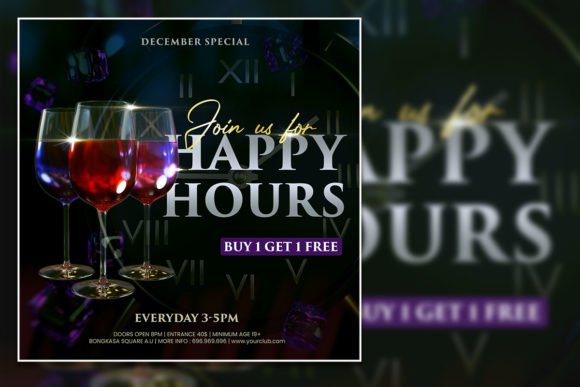
A well-crafted social media post can be the difference between a quiet evening and a packed venue. The Dark Style Happy Hours Social Media Post template offers a pre-designed PSD file built around the moody, high-contrast aesthetic that works so well for evening promotions, nightlife events, and happy hour announcements. This is not a collection of stock photos or a finished ad. It is a layered, fully editable Photoshop file that gives you a structured starting point for your own content. You replace the placeholder images with your own, adjust the text, tweak the colors, and export a polished post that fits your brand.
For anyone promoting events, drink specials, or late-night gatherings, this template removes the need to build a design from scratch. The dark background with bold typography and reserved space for your photos creates a mood that lighter templates often cannot match. Different people will value different parts of this file, depending on their experience level, their goals, and the type of audience they serve.
What the Dark Style Happy Hours Template Includes
The file comes as a single PSD document at 2000 by 2000 pixels, which works well for Instagram, Facebook, and even print materials like small flyers or tent cards. The color profile is RGB at 300 DPI, meaning you get crisp output for screens and enough resolution for light print use. There are 100 layers in the file, which gives you granular control over every element—background textures, typography, shape overlays, and image placeholders. The template uses 100 free fonts, so you do not need to purchase additional typefaces to match the intended look.
Because the images are not included, the template relies on placeholder boxes and smart objects. You double-click the smart object layer, drop in your photo, save, and the template updates automatically. This makes the replacement process straightforward even if you have never used Photoshop layers before. The print-ready structure also means the file respects bleed and safe zones if you decide to take the design beyond social media.
Why Different Audiences Care About This Template
A template like this serves multiple purposes depending on who is using it. A busy bar manager who needs a post ready in fifteen minutes has a very different set of priorities compared to a freelance designer who wants a flexible base layer for client work. Understanding these differences helps you decide whether this file fits your own workflow.
Social Media Managers and Marketers
For marketers responsible for multiple venues or accounts, speed and consistency matter most. The Dark Style Happy Hours template allows you to maintain a cohesive dark aesthetic across posts while changing the featured drink, event name, or date. Instead of rebuilding a post each week, you open the PSD, swap the photo, update the text layer, and export. Over a month of daily posts, that time saving adds up significantly. The 100 layers also mean you can create variations—one version with a photo of a cocktail, another with a mocktail, a third with a food item—without starting over each time. If you manage accounts for several clients, you can duplicate the file and customize the color palette per brand while keeping the same underlying structure.
Small Business Owners in Hospitality
Running a bar, restaurant, or lounge often means wearing many hats. You may not have a dedicated marketing person or a design budget. The Dark Style Happy Hours template gives you a professional-looking post without hiring a designer. You take a photo of your space or your drink special with your phone, drop it into the smart object, change the text to match your hours and pricing, and you are ready to publish. The dark style works especially well for evening promotions because it visually signals nightlife, relaxation, and a shift from daytime formality. For a small business owner, the commercial value comes from being able to produce consistent, on-brand content every week without recurring design costs.
Graphic Designers and Creative Professionals
Experienced designers may look at a template and see a starting point rather than a finished product. With 100 layers, you have room to deconstruct the design, understand how the dark aesthetic is built, and then modify it extensively. You might change the texture overlay, swap the gradient map, adjust the layer blending modes, or replace the typography entirely with your own font choices. The free fonts included give you a working palette, but nothing stops you from swapping in licensed typefaces if the project calls for it. For a designer handling a happy hour campaign for a client, the template saves the drudgery of setting up the document basics—canvas size, resolution, color profile, and initial layout—so you can focus on the creative refinements that differentiate your work.
Beginners Learning Design
If you are new to Photoshop, opening a file with 100 layers can feel overwhelming. However, the Dark Style Happy Hours template is organized with folders and smart objects that make it easier to navigate. You can start by only changing the visible text and the main photo, ignoring the other layers until you grow more comfortable. Over time, you can explore what each layer does—turning off visibility, adjusting opacity, or changing colors—and learn by experimentation. The template becomes a hands-on tutorial in layer organization, smart object usage, and color adjustment. Because the file uses free fonts, you do not need to hunt for missing typefaces. For a beginner, the learning value is high, and the risk of breaking the design is low since you can always revert by hiding or deleting layers.
Freelancers and Solo Entrepreneurs
Freelancers who offer social media management, content creation, or branding services can use this template as a reliable asset in their toolkit. When a client needs a happy hour post quickly, you can deliver a polished design in minutes rather than hours. The dark style gives a specific mood that not every template provides, so it fills a niche in your service offering. You can also brand the template with your own logo or watermark for draft approvals, then deliver the final layered file to clients who want the ability to make future edits themselves. For a freelancer, the long-term usefulness comes from the file being editable and reusable across multiple projects with minimal rework.
Evaluating the Template Based on Your Priorities
Not every template suits every user, even when the features look good on paper. The right file for you depends on what you value most in a design asset.
Ease of Use
If your priority is getting a post live in under ten minutes, this template works well provided you already have basic Photoshop familiarity. The smart object workflow is simple: double-click, paste your image, save, and close. Text layers are clearly labeled, and the layer groups are named intuitively. For someone who has never opened Photoshop, there will be a short learning curve around navigating layers and using the move tool. But the template is far more accessible than starting from a blank canvas. If ease of use is your top concern and you prefer Canva-style drag-and-drop, you may need to convert the PSD to a format that works in your preferred tool. However, the template loses some layering fidelity if you export it out of Photoshop.
Flexibility and Customization
The 100 layers offer substantial flexibility. You can turn off background elements, adjust the color overlay, resize shapes, and reposition text. The dark style itself is a strong visual direction, so if your brand uses bright whites and pastels, you will need to replace the background layers and adjust the overall contrast. The template is built around a dark foundation, so significant light-themed customization requires replacing more layers than you would with a neutral template. For users who want exactly the dark look, this is a strength. For users who want a lighter feel, the template still works but demands more editing time.
Cost and Commercial Value
Compared to hiring a designer for each post, a template like this is a one-time cost that you can reuse indefinitely. The print-ready format adds value if you also need physical materials like table tents, flyers, or small posters. Because the images are not included, you do not pay for stock photos you may not use, and you avoid licensing restrictions that come with bundled imagery. The free fonts eliminate the need for font purchases, which is a hidden cost in many design templates. For a business posting happy hour content weekly, the cost per use drops quickly, making it a practical investment.
Quality and Presentation
The 300 DPI and 2000 pixel square resolution ensure your posts look sharp on high-density phone screens and desktop monitors. The dark background with contrasting typography commands attention in a crowded feed, especially during evening hours when users are scrolling after work. The moody aesthetic aligns well with the happy hour theme—dark, intimate, slightly luxurious. If your venue or brand has a bright, family-friendly vibe, this dark style may feel mismatched. Evaluate whether the visual tone matches the emotion you want to convey. A sports bar with daytime happy hours might want something more energetic, while a cocktail lounge opening at 5 PM is a natural fit.
Practical Examples for Different Reader Types
Imagine a craft cocktail bar launching a new seasonal menu. The manager opens the PSD, replaces the placeholder with a photo of the new drink garnished with rosemary and orange peel, updates the text to read Spring Spritz Happy Hour 5–7 PM, and adjusts the accent color from red to deep green. The post is live in under twenty minutes.
A freelancer hired by a wine bar uses the template to create a series of five posts—one for each day of the week featuring a different glass pour. The client appreciates the consistent dark frame and the way the photos pop against the background. The freelancer delivers the PSD to the client with instructions on how to swap images, allowing the bar to continue the series without further design fees.
A beginner designer uses the file to practice layer masking and adjustment layers. They turn off the background texture and experiment with gradients, learning how different layer blends affect the mood. By the end of the week, they have created a version that looks entirely different from the original, and they now understand smart objects well enough to use them confidently in other projects.
A restaurant owner with no design background opens the PSD, feels intimidated by the layer panel, and watches a five-minute tutorial on smart objects. The next day, they post their first professionally styled happy hour announcement. The post receives more engagement than their usual text-only updates, and they decide to keep the template for weekly use.
How to Know If This Template Matches Your Needs
Ask yourself a few direct questions before deciding. Do you regularly promote happy hours, evening events, or nightlife? If yes, the dark aesthetic is a strategic advantage. Do you have access to Photoshop or a compatible editor that handles PSD files with layers? Without that, the template loses most of its value. Are you comfortable with basic layer operations, or are you willing to learn them? The learning investment for this template is small, but it is not zero. Do you need print-ready materials in addition to social posts? The file supports both, which expands its usefulness. Do you already have your own photos to use? Since images are not included, you need a library of your own shots or access to stock photography.
If you answered yes to most of these, the Dark Style Happy Hours Social Media Post template likely aligns with your goals, skill level, and project requirements. The dark style speaks to a specific audience and time of day, and the layered PSD structure gives you the control to make it your own without rebuilding from scratch. Whether you are a marketer chasing efficiency, a business owner seeking professionalism, a designer wanting a head start, or a beginner looking to learn, the template offers a practical foundation that adapts to your priorities.