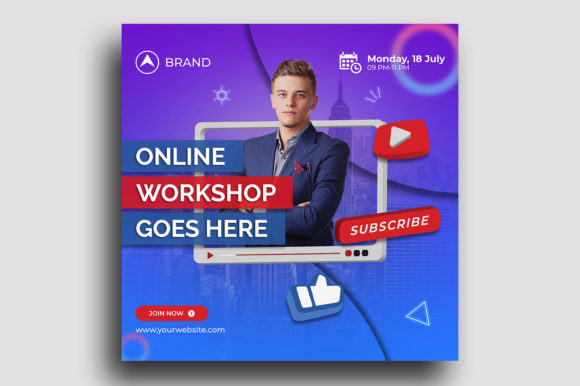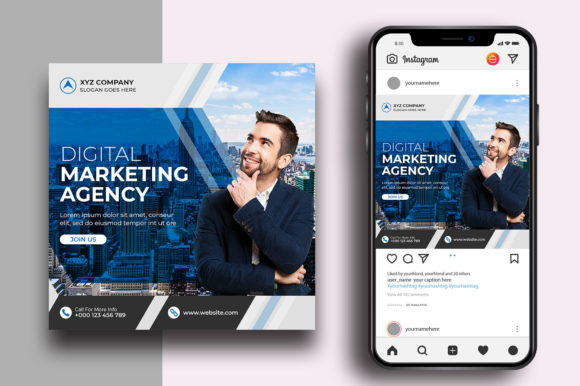
Marketing Agency Social Media Post Guide
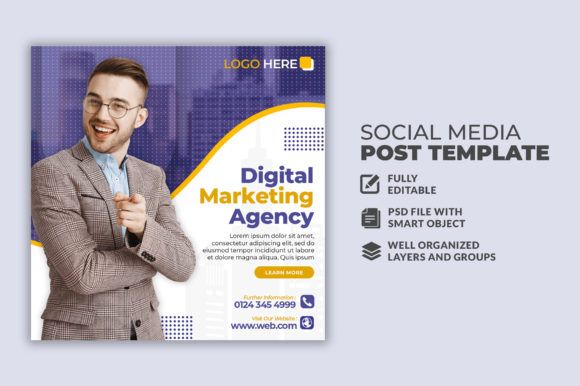
When a marketing agency produces a social media post, the result is rarely just a simple image. It is a concentrated piece of strategy, brand identity, and behavioral psychology designed to stop a thumb mid-scroll. For professionals outside that agency structure—freelancers, small business owners, educators, or creators—replicating that level of polish can feel like trying to solve a puzzle without the reference picture. That is where a meticulously crafted marketing agency social media post template becomes invaluable. It does not hand you a finished product; it hands you a strategic framework built on industry standards.
Understanding the Anatomy of a Professional Post
A professional social media asset is defined by its architecture. The 300 DPI specification ensures that if you need to repurpose that digital graphic for a printed flyer or a presentation deck, the clarity holds firm. The RGB color mode is non-negotiable for screens, guaranteeing that deep blues, vibrant accent colors, and subtle gradients appear correctly on mobile displays and desktop monitors. The standard 1080x1080 pixel square canvas remains the sweet spot for multi-platform publishing. It is wide enough to hold complex compositions, yet optimized for feed visibility across Instagram, LinkedIn, and Facebook.
For a beginner, these technical details operate as invisible safety nets. For a seasoned designer or a marketing lead, they are non-negotiable baselines that ensure the asset performs reliably across different mediums without unexpected distortion or color shifts.
Speed Versus Creative Depth: A Balancing Act
The way you value a pre-built structure often depends on your primary bottleneck. If you are an entrepreneur juggling operations, sales, and content, time is your scarcest resource. Opening a well-organized PSD file, changing the headline, swapping a stock photo, and updating the call-to-action can take under ten minutes. This efficiency transforms a single design into a repeatable system, building brand consistency without burning through your creative energy.
If you are a creator or a designer, you might evaluate the same file differently. You look at the layer organization. Are the adjustment layers non-destructive? Is the typography hierarchy clear? Is the color palette controlled via smart objects or global swatches? A high-quality template saves you the first thirty minutes of grunt work. You skip the repetitive setup and jump straight into customization, adapting the visual narrative to fit a specific client tone or campaign angle.
For the marketing manager overseeing a team, the value lies in standardization. A template ensures that whether the junior graphic designer or the intern creates the post, the output remains recognizable. The logo sits in the right place. The font sizes follow a rule. The visual noise is kept in check.
Technical Specifications and What They Mean for Your Workflow
Reading a product description that lists “300 DPI, RGB, 1080x1080 pixels, PSD file, images not included, free fonts used” can be confusing if you are new to the space. Let us break down what that actually means for different users.
- For the small business owner or blogger: “Free fonts used” means you do not have to worry about licensing fees or legal issues. You can download the exact typeface and use it for your commercial posts without purchasing an expensive font license. “Images not included” means you have the creative freedom to use your own product shots or brand photography, ensuring the final post is unique to your business rather than a generic stock photo.
- For the freelancer or agency owner: “PSD file” with well-labeled layers is a goldmine. You can use it as a base template for a client project, tweak the colors to match their brand guidelines, and deliver a polished draft in a fraction of the time. It increases your profit margin because you are billing for a custom look but spending template-level time.
- For the educator or hobbyist: A layered PSD file is a live anatomy lesson. Toggle the visibility of certain layers off and on to understand how shadows, gradients, and text overlays work together. It bridges the gap between watching a tutorial and getting your hands on a professional file structure.
When a Template Fits Your Goal and When It Does Not
Not every project requires a template, and not every user benefits from the same level of structure. Knowing the difference helps you invest your money and time wisely.
The Right Fit: High Output, Consistent Quality
If you are managing a content calendar that requires three to five posts per week, custom designing every single graphic from a blank canvas is unsustainable. A marketing agency social media post template acts as a reliable starting block. You maintain a consistent visual identity while only swapping out the core message and imagery. This workflow is ideal for bloggers, coaches, local service providers, and e-commerce brands who need to stay visible without a full-time design team.
The Gray Area: Customization Is Still Required
If you are working on a high-profile campaign launch or a rebrand, a template might serve as a structural guide rather than the final aesthetic. You might keep the composition and typography scale but completely overhaul the color palette, texture, and imagery. In this case, the template saves you the time of figuring out the layout proportions but leaves the heavy creative lifting to you.
The Mismatch: Completely Bespoke Artwork
If your project demands fully custom illustrations, a disruptive layout that breaks the standard grid, or an avant-garde typographic treatment, a pre-built template will feel restrictive. Recognizing this early prevents frustration. Templates provide a framework; they are not a substitute for original conceptual thinking. Use them for efficiency, not for creative exploration that demands a blank canvas.
Evaluating the Long-Term Value of a Design Asset
When looking at a design asset, consider its modularity. Can you easily swap the background color across all future posts? Can you adjust the text block to accommodate longer headlines? A good template is built with flexibility in mind. It anticipates that your needs will shift. You might start using it for Instagram quotes, then repurpose the same layout for LinkedIn article headers or YouTube thumbnails.
Cost-effectiveness also depends on the frequency of use. A single template purchased for a small fee that generates twenty consistent posts over a quarter delivers massive value compared to hiring a designer for every single update. For the budget-conscious entrepreneur, this makes templates a strategic investment rather than a simple expense. For the professional creator, owning a library of versatile templates means you can pitch faster turnaround times to your clients, directly impacting your bottom line.
Practical Examples Across Different Roles
To make this concrete, consider how three different individuals might use the same marketing agency social media post asset over the course of a week.
- The Freelance Social Media Manager: You land a new client in the wellness space. You open the PSD template, switch the smart object to a high-quality image of the client’s studio, change the accent color to their brand green, and update the headline to promote their upcoming workshop. The entire process takes fifteen minutes. You deliver a polished draft to the client for approval without spending billable hours on background rendering or alignment tweaks.
- The Course Creator: You are launching a new module. You use the template to create a series of quote cards highlighting key lessons from the course. You keep the design consistent so your audience immediately associates the visual style with your educational content. The template helps you maintain a professional presence while you focus your creative energy on writing the actual course material.
- The Non-Profit Coordinator: You need to urgently post an update about a fundraising event. The template allows you to create a clean, legible announcement without needing a design background. You can focus on writing a compelling caption while the layout ensures the post looks credible and organized.
Making the Final Decision Based on Your Skill Level
A common hesitation among beginners is the fear that using a template is somehow cheating. In reality, it is a strategic shortcut to a higher quality standard. As long as you are customizing the content to reflect your voice and your brand, you are creating original work. The template handles the technical heavy lifting of resolution, color space, and composition.
If you are at an intermediate level, evaluate the template based on its learning value. Does it use techniques you want to understand better? Can you reverse engineer the layer styles to improve your own design skills? If yes, the asset provides both immediate utility and educational return.
If you are an advanced user, efficiency is your primary metric. Does the template save you measurable time? Is the file structure clean enough that you are not fighting against the original constraints? If the answer is yes, it is a valuable production tool. If the structure feels rigid, you might prefer a more modular kit or a set of individual elements rather than a fixed layout.
Ultimately, a well-built social media post template is a tool that respects your time while elevating your output. Whether you are a marketer racing against a deadline, a creator building a cohesive portfolio, or a business owner establishing a trusted brand presence, the right template bridges the gap between amateur effort and professional execution. Assess your own workflow, determine where your bottlenecks lie, and choose an asset that complements your strengths rather than fighting against them.