Digital Marketing Social Media Template: A Practical Guide to Consistent Brand Visuals
Creating cohesive visual content for social media channels is a recurring challenge for businesses and creators alike. The demand for fresh, platform-optimized graphics never stalls, yet producing them from scratch each time drains time and creative energy. A Digital Marketing Social Media Template offers a structured approach to maintaining brand consistency while accelerating production workflows. These templates, often delivered as layered Photoshop PSD files, provide a repeatable framework that can be adapted for every campaign, season, or message.
Understanding what makes a social media post template effective goes beyond surface-level design. The underlying structure, customization options, and technical specifications all contribute to how well a template serves its purpose. Let's examine the components that define quality templates and how they function across different use cases.
The Anatomy of a High-Resolution Social Media Post Template
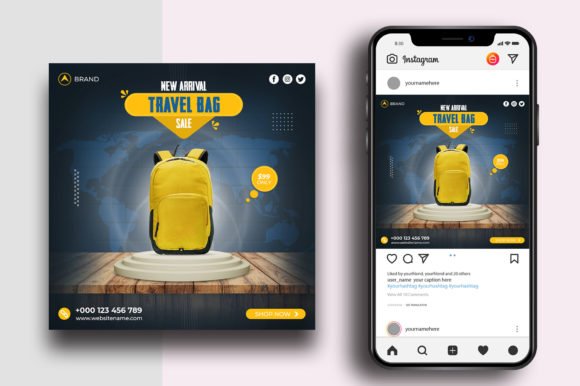
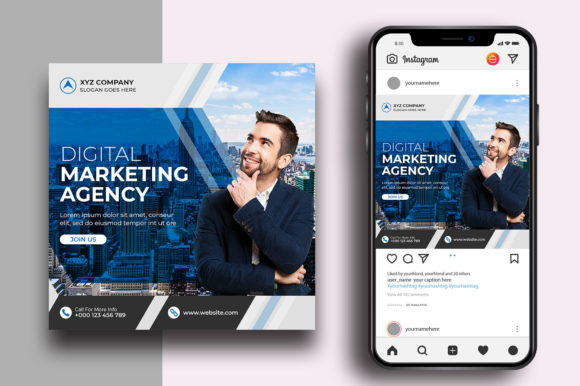
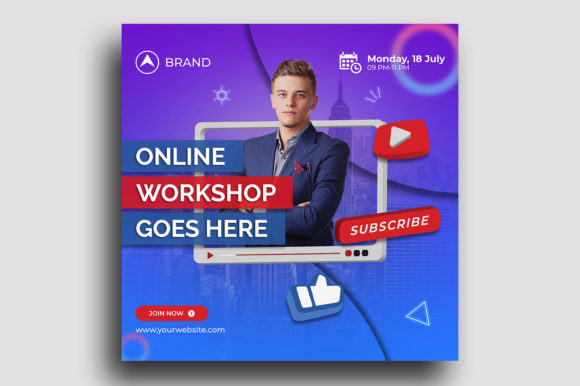
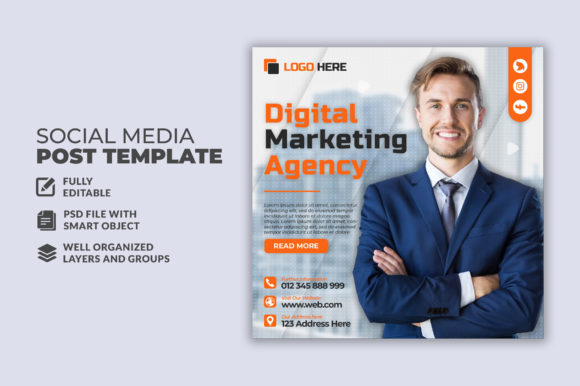
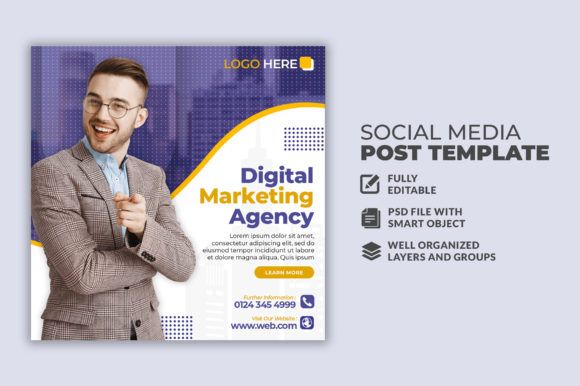
At its core, a social media post banner design template provides a pre-built canvas with organized layers, typography settings, and visual placeholders. The standard size of 1080×1080 pixels is no accident. This square format aligns perfectly with Instagram feeds, Facebook shared posts, LinkedIn feed images, and Twitter card displays. It offers the most versatile ratio across major platforms, ensuring your content appears correctly without awkward cropping or distortion.
A well-constructed social media post template contains multiple layers that are logically grouped and labeled. Background layers, text layers, shape overlays, shadow effects, and image placeholders are separated so that each element remains independently editable. When a template advertises "100 layered and full editable," it means every component from the headline text down to the smallest decorative icon can be modified without breaking the overall design.
The Photoshop layered PSD format remains the industry standard for this kind of resource. It preserves layer properties, blending options, smart object placeholders, and adjustment layers. Unlike flattened image formats, a PSD allows granular control over every pixel. If you need to adjust the opacity of a gradient overlay or swap a font family across all text layers at once, the layered structure makes it possible.
Why Layered Editing Matters for Real-World Workflows
Consider a marketing team managing multiple brand accounts. Each campaign requires variations—different headlines, calls to action, product images, or promotional badges. With a flattened graphic, any change means rebuilding the composition from scratch. A layered Digital Marketing Social Media Template lets a designer open the file, click on the text layer, type new copy, and save a variant in under two minutes. That efficiency multiplies across dozens of posts.
For small business owners who are not professional designers, the "easy to customize" promise is critical. Templates that include clear layer naming, folder structures, and instructions reduce the learning curve. Instead of wrestling with Photoshop's complexity, the user can focus on swapping images via smart objects and updating text with the text tool. The requirement that "all text editable with text tool" means no rasterized text layers—every character remains live and changeable.
Free font usage is another practical consideration. Many templates rely on fonts that are freely available for commercial use, such as Google Fonts or open-source typefaces. This eliminates licensing headaches and ensures that when you open the file on a different computer, the text renders correctly without missing font errors. It also allows collaborators to download the same fonts without additional cost.
Practical Applications Across Different Users
The versatility of a social media post banner design template extends to various professional contexts. Let's look at how different groups put these resources to work.
Content Creators and Social Media Managers
For those posting daily or multiple times per week, a library of templates transforms content creation from a bottleneck into a streamlined process. A social media manager handling three accounts can batch-create a week's worth of posts in a single afternoon. They start by selecting a template that matches the brand's visual identity, then duplicate the file for each post. Swapping background images, updating quotes, and adjusting headline text across dozens of files becomes systematic rather than chaotic.
The well-organized nature of these templates—where layers are grouped by function (background, text, imagery, effects)—makes navigation intuitive. When a client requests a last-minute change to the button color across an entire campaign, the manager can adjust the shape layer once and all instances update consistently. This kind of control is impossible with template-free, ad-hoc design.
Educators and Workshop Facilitators
Teachers running digital marketing or graphic design courses often use templates as teaching tools. A layered PSD file serves as a live demonstration of composition principles, layer hierarchy, and typography best practices. Students can deconstruct the file to understand how drop shadows are applied, how gradients create depth, or how alignment guides maintain visual balance. The "well organized easy to edit" structure helps beginners learn professional workflows without feeling overwhelmed.
In a classroom setting, having a template that is "100 layered and full editable" means each student can take the same base file and produce radically different outcomes by experimenting with colors, fonts, and image choices. This hands-on exploration reinforces theoretical lessons about branding and visual communication.
Hobbyists and Side Hustle Entrepreneurs
Someone launching a passion project or a small online store likely has limited design skills and budget. Hiring a professional designer for every social post is not feasible. A Digital Marketing Social Media Template bridges the gap. The hobbyist purchases or downloads a template, opens it in Photoshop (or a compatible editor like Affinity Photo or Pixelmator), and customizes it with their own content. The result is a polished graphic that looks professionally made, helping the brand appear credible from day one.
The constraint that "image not included" is actually an advantage in this context. It forces the user to supply their own photography or product shots, ensuring the final graphic is unique and authentic. Stock imagery can feel generic; using real photos of your own products, workspace, or team builds trust with your audience.
Characteristics That Define a Usable Template
Not all templates are created equal. Certain characteristics separate a genuinely useful resource from one that causes more frustration than it saves. When evaluating a social media post template, consider these criteria.
Layer Organization and Naming Conventions
Look for templates where layers are named descriptively—"Headline Text," "Subhead Text," "CTA Button," "Background Pattern," "Product Image Placeholder"—rather than default names like "Layer 1," "Layer 2," "Layer 3." Grouped folders that collapse logically (e.g., "Text Elements," "Graphics," "Background") speed up editing significantly. The best templates also include a separate readme file or a dedicated "Instructions" layer that explains how to edit smart objects and where to place images.
Smart Object Integration
Photoshop smart objects are a key feature in high-quality templates. When an image placeholder is a smart object, you can double-click it, insert your own image, and the template automatically applies the correct masking, scaling, and effects. This eliminates the need to manually adjust clipping masks or resize images. The workflow becomes: open smart object → paste image → save and close → your graphic updates instantly.
Typography Flexibility
All text should be fully editable using the text tool. This means no outlined or converted-to-shape text that cannot be changed. Additionally, good templates provide font fallback suggestions within the file or documentation. If you do not have the exact free font used, you can substitute a similar one and the layout should still hold together. Templates designed with generous text box boundaries and proper leading accommodate longer or shorter copy without breaking the composition.
Color Palette Consistency
A professional social media post banner design template uses global colors or color swatches that can be adjusted across all layers at once. Some templates include a "Color Palette" group at the top of the layer stack, where changing a single color layer updates every element that references it. This is incredibly useful when adapting a template for different sub-brands or seasonal campaigns.
Workflow Integration and Practical Considerations
Adopting templates into an existing workflow requires some forethought. The goal is not to make every post look identical, but to establish a recognizable visual system within which variety is possible. A template library should contain multiple layouts—some image-heavy, others text-focused, some with bold headlines, others with subtle typography—so you can choose the format that best suits each message.
For teams, it is helpful to create a shared drive or cloud folder containing approved templates. Establish naming conventions for completed files (e.g., "Brand_Campaign_Date_Variant.psd") to keep archives searchable. When a new team member joins, they can pull from the template library and produce on-brand work immediately without extensive training.
One often overlooked aspect is file size management. A PSD file with 100 layers, multiple smart objects, and effects can become large. Optimize by rasterizing adjustment layers that are finalized, flattening unnecessary groups, and keeping only essential layers editable. This makes the template faster to open and easier to share via email or cloud storage.
Adapting for Different Platforms
While 1080×1080 pixels covers square formats, your content strategy may require variations for Stories (1080×1920), landscape (1920×1080), or portrait (1080×1350) formats. Many Digital Marketing Social Media Template packs include multiple aspect ratios within the same design system. If you purchase a pack, check whether it contains the specific dimensions you need. It is more efficient to start with a correctly sized canvas than to try compressing a square design into a vertical Story frame.
Templates that are "well organized easy to edit" typically include separate PSD files for each format, all sharing consistent color palettes, typography, and graphic elements. This ensures that your Instagram feed posts, Stories, and Facebook cover images feel cohesive even though their layouts differ.
Observations on Current Practices and Trends
The landscape of digital marketing visuals continues to evolve, and templates must adapt. Minimalist designs with ample white space remain popular because they place emphasis on the content rather than the decoration. However, bold gradients, overlapping text, and asymmetrical layouts are also in demand, especially for brands targeting younger demographics. A versatile template pack should offer a range of aesthetic directions.
Dark mode compatibility is another emerging consideration. As more users browse social media in dark mode on their devices, templates that work well on both light and dark backgrounds have an advantage. This can be achieved by designing with sufficient contrast, avoiding pure white backgrounds that create harsh borders in dark mode, and using semi-transparent overlays that adapt.
The rise of user-generated content has also influenced template design. Brands are creating templates that fans and customers can use to share their own experiences. These templates are simplified—fewer layers, clear placeholders for photos, and prominent branding. Encouraging customers to create posts with your template generates authentic social proof and expands your reach organically.
Considerations Before Choosing a Template
Evaluate your own skill level honestly. A template with 100 layers might be overwhelming if you are new to Photoshop. Start with a simpler design that has 15–30 layers and fewer effects, then progress to more complex files as your comfort grows. Conversely, if you are an experienced designer, look for templates that push your creativity—files with advanced blending modes, custom brushes, and detailed shadow work that you can deconstruct and learn from.
Check the license terms. Some templates are restricted to personal use or require attribution. For business use, ensure the license covers commercial applications, client work, and team usage. The "free font use" aspect often comes with its own licensing terms; verify that the fonts included or recommended are indeed free for commercial projects.
The "image not included" disclaimer means you need your own source of photography. This is standard practice, as including stock images in the download would raise licensing issues. Plan to have a library of product shots, lifestyle images, or abstract backgrounds ready to insert into your templates. Services like Unsplash and Pexels provide high-resolution free images that work well for this purpose.
Finally, test the template before committing to a large batch of posts. Download a single file, open it in your version of Photoshop, and go through the editing process from start to finish. Confirm that all layers behave as expected, fonts load correctly, and the output looks crisp at 1080×1080 pixels. This small investment of time prevents workflow disruptions later.
When used thoughtfully, a Digital Marketing Social Media Template becomes more than a shortcut—it becomes a cornerstone of a consistent, professional social media presence. The combination of standardized dimensions, editable layers, and organized structures empowers anyone, from the solo entrepreneur to the large marketing team, to produce graphics that resonate with their audience and strengthen their brand identity.