Ethics Keynote Template: A Complete Presentation System for Professional Storytelling
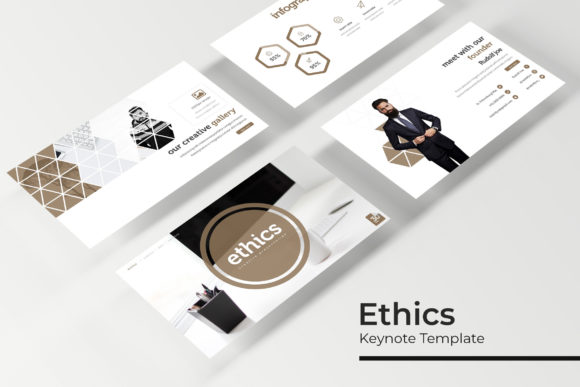
Presentations are often judged not just by content, but by how that content is visually framed. A well-structured template can determine whether an audience stays engaged or drifts away before the key message lands. The Ethics Keynote Template attempts to solve this problem by offering a comprehensive presentation system that balances visual consistency with flexibility. With 150 total slides spread across five distinct color variations, this template set is designed to support users who need professional-grade slides without starting from scratch each time.
What the Ethics Keynote Template Offers
At its core, this template is a set of five separate Keynote files, each containing 30 slides in a unique color variation. That brings the total to 150 slides, all built around a consistent structural framework. The five color options allow users to choose a palette that aligns with their brand, client preference, or presentation theme, without having to manually adjust colors across dozens of slides.
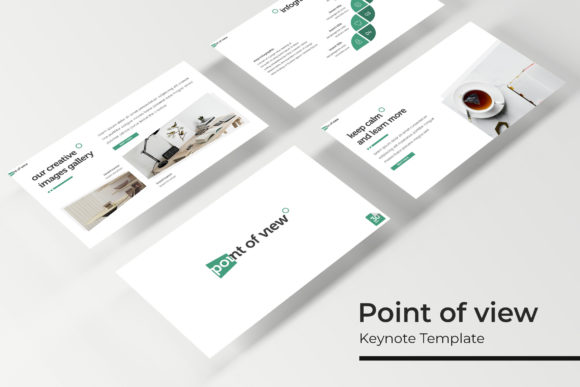
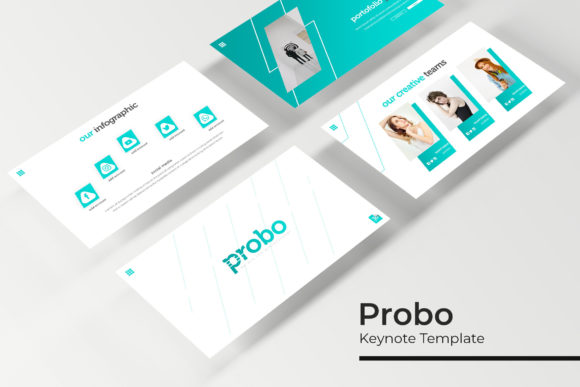
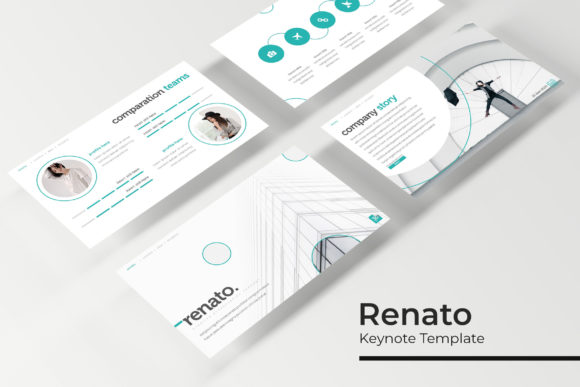
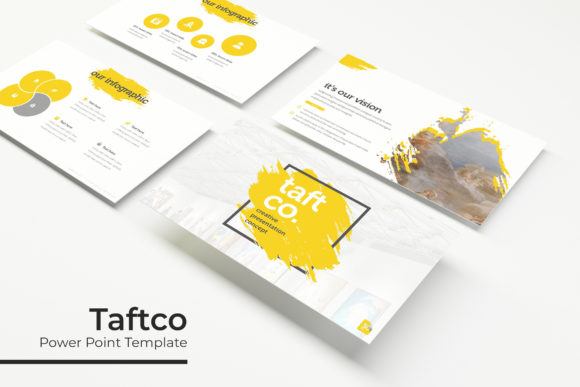
The template includes handcrafted infographics, section breaks, gallery and portfolio slides, and resizable graphic placeholders. These are not generic clip-art additions. Each infographic is built to communicate data or process flows clearly, which is critical for presentations where visual clarity directly affects audience comprehension.
A useful feature is the drag-and-drop picture placeholder system. Instead of wrestling with image alignment or resizing frames manually, users can insert images directly into pre-positioned placeholders. This saves time and ensures that image placement remains consistent throughout the deck.
Built for Consistency and Control
One of the strongest arguments for using a system like the Ethics Keynote Template is the way it enforces visual consistency. Because the slides are built on master slides, any global edits such as font changes, color adjustments, or background updates can be applied across the entire set with minimal effort. This is particularly valuable when a presentation needs to be adapted for different audiences or updated with new information.
The pixel-perfect illustrations included in each slide are another practical advantage. These vector-based graphics scale cleanly, whether you are presenting on a laptop screen, a large monitor, or a projector. There is no pixelation or distortion, which matters when professionalism is nonnegotiable.
Each template file comes in widescreen format, matching the aspect ratio of most modern displays. This removes the need to manually adjust slide dimensions, which can introduce layout errors in less carefully built templates.
Usability and Real-World Application
For someone who regularly builds presentations, the real test is whether a template reduces friction or adds complexity. The Ethics Keynote Template streamlines several common tasks. The included section break slides help divide content into logical segments, making long presentations easier for audiences to follow. The gallery and portfolio slides are especially useful for professionals who need to showcase visual work, such as designers, photographers, or product marketers.
The resizable and editable graphics mean that users are not locked into pre-set layouts. If a slide needs a different arrangement of elements, the components can be moved, scaled, or recolored without breaking the overall design. This is a significant advantage over templates that rely on flattened or grouped elements that are difficult to modify post-import.
A feature that deserves attention is the inclusion of a Read Me file with information about the fonts used. The template uses free fonts, and a download link is provided. This prevents the common problem of opening a template only to find missing fonts that break the layout. It also means that users can legally and easily replicate the exact typography shown in the previews.
Who Benefits Most from This Template
Professionals who deliver frequent presentations will likely see the most value. Consultants, business strategists, and project managers often need to communicate complex ideas quickly. The handcrafted infographics and clean slide layouts support that goal. For entrepreneurs pitching to investors or clients, having a polished deck that can be rapidly customized is a tangible advantage.
Marketers and creators who produce content for webinars, product launches, or brand presentations will also find the template useful. The multiple color variations make it possible to maintain brand alignment without rebuilding slides from scratch. Freelancers who work with multiple clients can use the different color sets to quickly adapt presentations for different brand guidelines.
Educators and small business owners who may not have dedicated design resources benefit from the plug-and-play nature of the template. The drag-and-drop image placeholders and pre-built slide types reduce the learning curve. Instead of spending hours designing from scratch, they can focus on content while still presenting a professional visual experience.
Quality and Practical Limitations
It is important to note what this template does not include. The preview images feature photographs and pictures that serve illustration purposes only. These are not included with the template purchase. Users will need to supply their own images. This is standard practice for presentation templates, but it is worth mentioning so expectations are clear.
Another consideration is that the template is built specifically for Keynote. Users of PowerPoint or Google Slides would need to convert the files, which may result in some loss of formatting or layout fidelity. If your workflow is primarily PowerPoint-based, you may want to check whether Keynote-to-PowerPoint conversion handles the master slides and graphic placeholders correctly for your version.
The five premade color variations cover a broad range, but they may not match every brand color exactly. While the graphics are editable and colors can be adjusted, doing so across 30 slides requires some effort. That said, the master slide structure makes this much simpler than editing each slide individually.
Flexibility Across Presentation Types
One strength of this template is its adaptability to different presentation formats. For a boardroom-style pitch, the clean infographics and portfolio slides help present data and case studies cleanly. For a creative portfolio review, the gallery slides offer a visually appealing way to display work. For a team training session, the section breaks and structured layouts keep the content organized without feeling rigid.
The inclusion of multiple color variations also means the same basic deck can be used for recurring presentations, such as quarterly business reviews, without feeling repetitive. Changing the color set between quarters or for different audience segments refreshes the visual presentation while keeping the content structure intact.
Long-Term Value
When evaluating a template investment, long-term value depends on how many times it will be used and how easily it adapts to new content. The Ethics Keynote Template, with its 150 slide count and five color options, is built for repeated use. A consultant who delivers monthly presentations can reuse the same slide structure, swapping out content and images while maintaining a consistent professional look.
The use of free fonts and editable graphics also contributes to longevity. There is no risk of a font license expiring or a design element becoming unusable after a software update. The template files are self-contained and rely on widely available resources.
Practical Recommendations
For users considering this template, start by reviewing the Read Me file to understand the font and color setup. Before building a full presentation, test the master slide functionality to see how global edits work with your specific content. Take advantage of the drag-and-drop picture placeholders early in the process, as they streamline image placement significantly.
If you are preparing a presentation for a client or investor, select the color variation that most closely matches their brand or the tone of the message. If none of the five colors align perfectly, the editable graphics allow for customization without requiring advanced design skills. Just be mindful that adjusting colors across multiple slides works best if done through master slides rather than individual slide edits.
For anyone who regularly presents in professional or educational settings, having a reliable template system reduces cognitive load. You can focus on refining your message rather than worrying about whether your slides look cohesive. The Ethics Keynote Template provides that foundation with enough variety and flexibility to serve a wide range of presentation needs.
Ultimately, the value of any template is determined by how well it fits into your existing workflow and how much time it saves you. This template set addresses both concerns by offering a complete, structured system that respects the user's need for control without sacrificing visual quality. For professionals who value consistency and efficiency in their presentations, it is a resource worth having in your toolkit.