Bring Your Ideas to Life with a Nature-Inspired Google Slides Template
In today’s visually driven world, the way you present information can make or break your message. Whether you’re pitching a new business idea, teaching a class, or sharing a creative portfolio, your slides need to be clear, engaging, and memorable. That’s where a thoughtfully designed Nature Google Slide Template comes in. This article explores what these templates offer, why they matter, and how you can leverage their features to create stunning presentations with ease.
Nature-inspired design isn’t just about aesthetics—it’s about creating a calming, trustworthy, and organic visual experience that resonates with audiences. Let’s dive into the details of one such comprehensive template package that includes 150 total slides across 5 premade color variations, each with 30 slides, and packed with features designed to simplify your workflow.
The Power of Nature-Inspired Design in Presentations
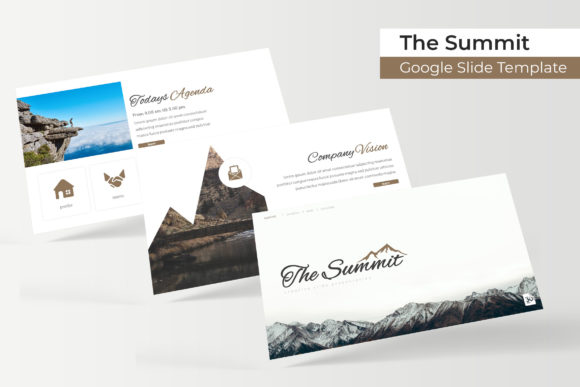
Why choose a nature theme for your slides? Nature evokes feelings of growth, balance, freshness, and clarity. When you use earthy tones, leaf motifs, organic shapes, and soft gradients, your audience subconsciously associates your content with these positive qualities. This makes nature templates particularly effective for topics related to sustainability, health, education, travel, lifestyle, and even corporate strategy.
Beyond the emotional impact, nature-inspired designs are incredibly versatile. They work well for both formal and informal settings. A well-crafted template helps you avoid the common pitfall of cluttered, distracting slides. Instead, it guides the viewer’s eye to what matters most—your message. With the right template, you don’t have to be a graphic designer to produce professional-grade presentations.
Understanding the Template Package: 150 Slides, 5 Colors, 30 Slides Each
This particular Nature Google Slide Template package is built around a simple but powerful structure: 5 premade color variations, each containing 30 slides, for a total of 150 slides. This means you have five complete presentation sets at your fingertips, each with its own distinct color palette. Whether you prefer a warm earthy brown, a fresh forest green, a calming blue, a soft pastel, or a bold neutral, there’s a set ready to use.
Having multiple color variations saves you hours of manual customization. You can switch between themes depending on your audience or brand guidelines. Each set of 30 slides includes all the essential slide types you need to build a cohesive story—from title slides and section breaks to content layouts and portfolio galleries. This structure ensures consistency across your presentation while giving you the flexibility to mix and match.
Key Features That Make These Templates Stand Out
What separates a premium template from a basic one is the depth of its features. This Nature Google Slide Template is not just a collection of pretty backgrounds. It’s a full-featured toolkit designed to streamline your presentation creation process. Let’s look at the standout features.
Handcrafted Infographics in PowerPoint
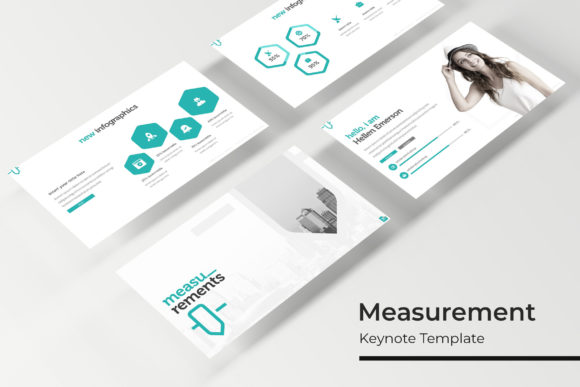
Infographics are one of the most effective ways to communicate complex data quickly. This template includes handcrafted infographic elements that are pre-designed and ready to customize. You’ll find timeline graphics, comparison charts, process flows, numbered lists, and data visualizations that use nature-inspired icons and shapes. These infographics are built to be resized and recolored without losing quality, making it easy to match your data to the overall design.
Section Break Slides for Narrative Flow
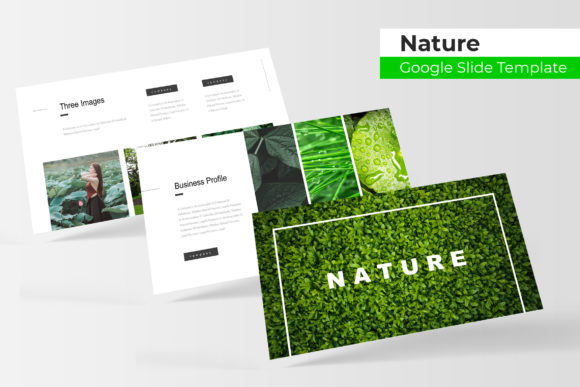
A great presentation tells a story, and every story needs clear chapters. Section break slides are designed to visually separate different parts of your presentation. They typically feature a bold image or graphic with minimal text, giving your audience a moment to reset before you move to the next topic. This template includes multiple section break layouts that use nature photography, leaf patterns, or abstract organic forms to create a smooth narrative transition. Using section breaks improves comprehension and keeps your audience engaged from start to finish.
Gallery and Portfolio Slides for Visual Impact
If you’re showcasing work—whether it’s photography, design projects, products, or team members—gallery and portfolio slides are essential. This template provides dedicated layouts for displaying multiple images in a clean, grid-based format. You can easily drag and drop your own pictures into picture placeholders, and the layout automatically adjusts to maintain alignment and spacing. This feature is especially useful for creatives, marketers, and educators who need to present visual content in an organized, professional manner.
Resizable and Editable Graphics
One of the biggest frustrations with some templates is that graphics are locked or difficult to modify. This Nature Google Slide Template is built with resizable and editable graphics. Every icon, shape, and illustration can be scaled up or down without becoming pixelated. You can also change colors, adjust transparency, and rearrange elements to fit your specific needs. This flexibility means you’re never stuck with a design that doesn’t work for your content.
Picture Placeholder – Drag and Drop Made Simple
The picture placeholder feature is a true time-saver. Instead of manually cropping and resizing images to fit a frame, you simply drag and drop your photo into the placeholder. The template automatically adjusts the image to fill the space perfectly. This ensures that all your images have a consistent look and feel throughout the presentation. It’s a small detail that makes a big difference when you’re working under a deadline.
Based on Master Slides for Global Edits
Every slide in this template is built on master slides. This means you can make global changes—like swapping the color scheme, updating the font, or repositioning a logo—in just a few clicks. Any change you make to the master slide automatically applies to every slide that uses that layout. This is a powerful feature for maintaining consistency, especially in longer presentations. It also makes it easy to adapt the template to your brand guidelines without editing each slide individually.
Pixel-Perfect Illustrations
The template includes pixel-perfect illustrations that are crisp, clear, and professional. These illustrations are carefully designed to look sharp on any screen, from laptops to projectors to tablets. You won’t find any blurry edges or misaligned elements. Every icon, leaf, branch, and geometric shape is rendered with precision, giving your presentation a polished, high-quality appearance.
What’s Included in the Package
When you download this Nature Google Slide Template, you receive a comprehensive package that covers all your presentation needs. Here’s exactly what’s included:
- 5 PPTX Files – One file for each of the 5 premade color variations. Each file is ready to use in Google Slides or Microsoft PowerPoint.
- 5 PPTX Widescreen – All files are formatted in widescreen (16:9) aspect ratio, which is the standard for modern displays and projectors.
- 5 Premade Color Schemes – Choose from five carefully curated color palettes inspired by nature. Each scheme is applied consistently across all 30 slides in that file.
- Readme First File – A helpful guide that explains how to use the template, customize colors, change fonts, and insert your own content. Even if you’re new to Google Slides, this guide makes the process straightforward.
- Font Used & Free Font Download Link – The template uses a specific font to achieve its nature-inspired look. A link to download the font for free is included, so you can match the design exactly without any licensing concerns.
It’s important to note that all photographs or pictures used in the preview are not included. They are intended for illustration purposes only. You will need to insert your own images. The template provides placeholders and layouts designed to showcase your photos effectively.
Practical Applications for Business, Education, and Creativity
This template is designed to be versatile enough for a wide range of use cases. Here are just a few examples of how you might use it:
- Business presentations: Pitch decks, quarterly reports, strategy overviews, and team meetings. The nature theme adds a refreshing touch to corporate content without being distracting.
- Educational content: Lesson plans, lecture slides, student assignments, and training materials. The clean layouts and infographics help students grasp concepts more easily.
- Creative portfolios: Showcase photography, design work, art projects, or writing samples. The gallery and portfolio slides are perfect for visual storytelling.
- Environmental and sustainability topics: If your work involves ecology, conservation, or green initiatives, the nature theme aligns perfectly with your message.
- Personal projects: Travel diaries, event presentations, family photo albums, or hobby showcases. The template makes your personal content look professional.
Common Questions and Clarifications
When exploring a template package like this, you might have a few questions. Let’s address some common ones:
Can I use this template in Google Slides? Yes. The package includes PPTX files that are fully compatible with Google Slides. Simply upload the file to Google Drive and open it in Slides. All features, including master slides and placeholders, work seamlessly.
Do I need design experience to use this template? Not at all. The template is designed to be intuitive. The Readme First file guides you through every step. If you can drag and drop, you can create a professional presentation.
Are the colors really customizable? Yes. Each color variation is fully editable. You can adjust any color using the theme editor in Google Slides or PowerPoint. The master slides make it easy to apply new colors globally.
What if I don’t like any of the 5 color schemes? You can use them as a starting point and modify them to your liking. The handcrafted graphics and illustrations are designed to work with any color palette you choose.
Conclusion
A nature-inspired Google Slides template is more than just a set of pretty slides—it’s a strategic tool for effective communication. With 150 total slides, 5 premade color variations, handcrafted infographics, section breaks, gallery layouts, and pixel-perfect illustrations, this package gives you everything you need to create presentations that are both beautiful and functional. The drag-and-drop picture placeholders, resizable graphics, and master slide architecture make the process efficient, even for beginners.
Whether you’re preparing a business pitch, an educational lecture, or a creative portfolio, this template helps you deliver your message with clarity and visual appeal. By choosing a nature theme, you tap into a universal aesthetic that feels fresh, grounded, and approachable. The next time you need to create a presentation, consider how the right template can elevate your work—and save you time in the process.